Creating Flashcards
You can create flashcards either with guided UI actions or by writing them directly in Markdown.
Use the guided method when you want speed. Use the Markdown method when you want full control.
Method 1: Guided Flashcard Creation
Section titled “Method 1: Guided Flashcard Creation”- Right-click in a note or open the command palette.
- Choose an Add flashcard action.
- Fill in the fields.
- Save the flashcard.
This is usually the easiest path for:
- Image Occlusion
- Hotspot Cards
- Multiple Choice Questions
- other flashcard types where structure is easier to manage through a form
Method 2: Write Flashcards In Markdown
Section titled “Method 2: Write Flashcards In Markdown”You can also write flashcard blocks directly in the note.
By default, fields use the | delimiter unless you changed it in Custom Delimiters.
Common Fields
Section titled “Common Fields”| Field | Use | Required |
|---|---|---|
T | Title | No |
Q | Basic question | Yes for basic flashcards |
A | Answer or correct option | Yes for basic flashcards and MCQs |
CQ | Cloze text | Yes for cloze flashcards |
MCQ | MCQ stem | Yes for MCQs |
O | Incorrect MCQ option | At least one for MCQs |
HQ | Hotspot card image embed | Yes for hotspot cards |
M | Hotspot interaction mode (click or drag-drop) | No |
OQ | Ordered-question stem | Yes for ordered questions |
1, 2, 3, … | Ordered items | At least two for ordered questions |
I | Extra info | No |
G | Groups | No |
See Decks & Organisation for how to use groups effectively.
Minimal Examples
Section titled “Minimal Examples”Basic
Q | What is the capital of France? |A | Paris |Cloze
CQ | The capital of France is {{c1::Paris}} |You can add an optional hint after the answer:
CQ | The capital of France is {{c1::Paris::city}} |That means Paris is the answer and city is the hidden-side hint.
MCQ
MCQ | What is the capital of France? |A | Paris |O | London |O | Berlin |Hotspot
HQ | ![[anatomy-diagram.png]] |Q | Click on the hippocampus. |M | click |For hotspot cards, the editor flow is usually better than manual region JSON authoring.
Demo: Guided Creation Outputs
Section titled “Demo: Guided Creation Outputs”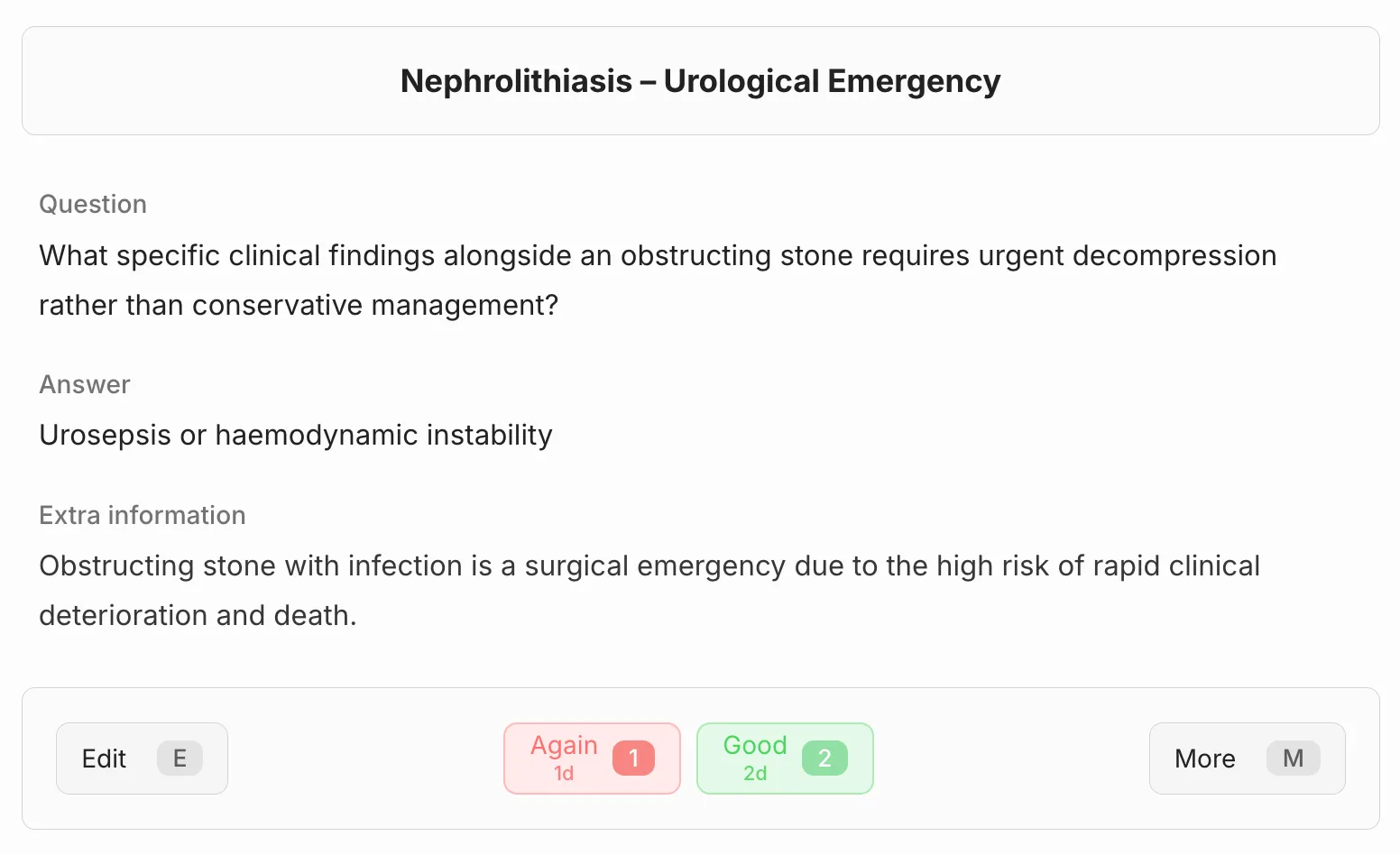
Basic card output from the guided flow.
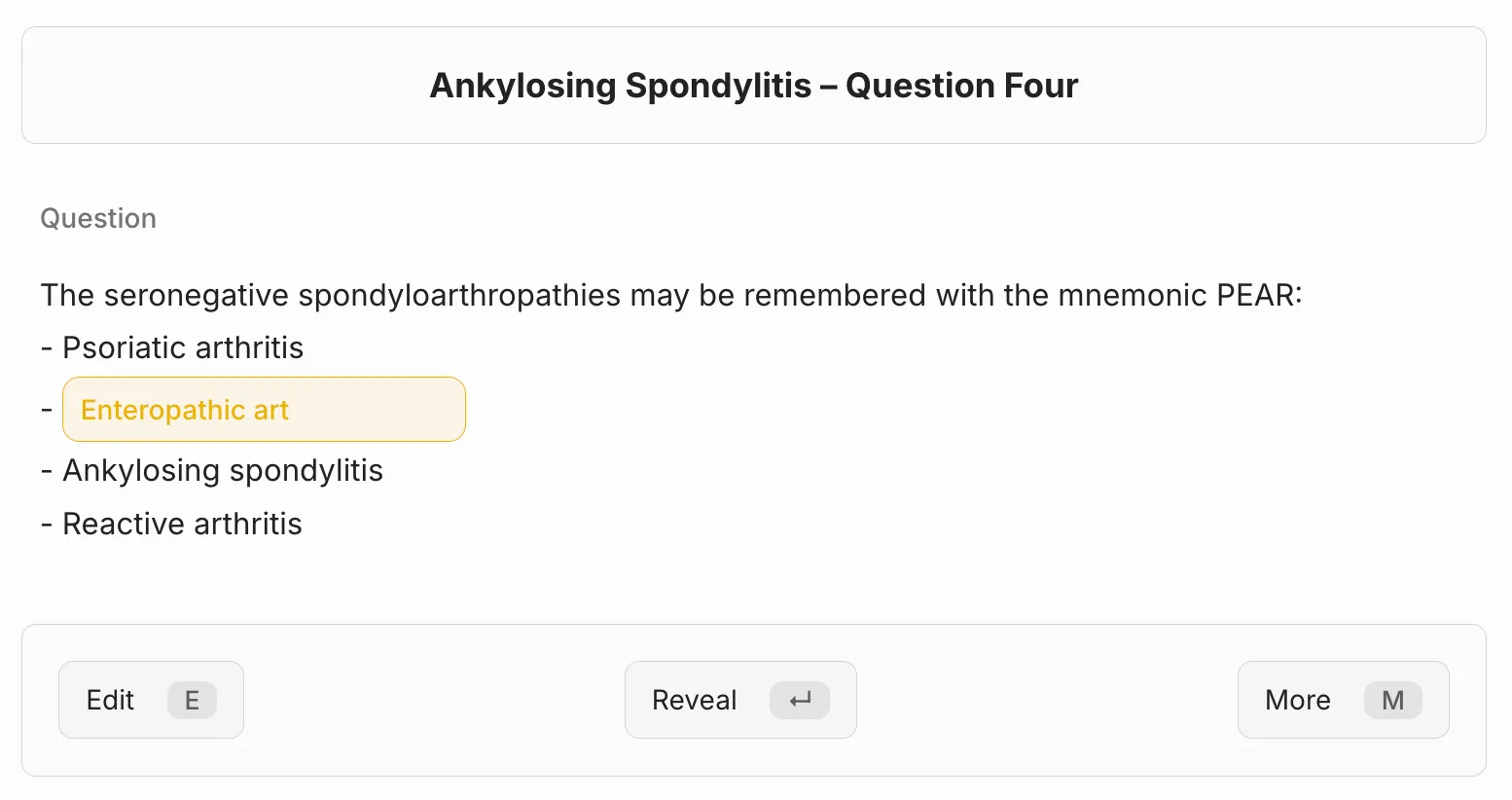
Cloze card authoring and review context.
.i3-zX6Sx_ZRUMIB.webp)
Hotspot card ready for click-mode review.
Method 3: Quick Cards (Preferred Shorthand)
Section titled “Method 3: Quick Cards (Preferred Shorthand)”Quick Cards let you write flashcards in a single line. On sync, LearnKit expands them to the full pipe-delimited format.
LearnKit has three preferred shorthand prefixes:
| Shorthand | Card Type | Example |
|---|---|---|
cloze:: / cq:: / CQ:: | Cloze | cloze::The capital of {{France}} is {{Paris}} |
:: | Basic | What is the capital of France?::Paris |
::: | Reversed | What is the capital of France?:::Paris |
Coming from Obsidian Spaced Repetition? LearnKit also accepts SR-style
?/??/==text==syntax for automatic migration. See Migrating From Obsidian SR.
Quick Cards are detected on unindented prose lines only. Markdown headings (#, ##, etc.) and content inside code fences are never parsed as flashcards, so your section titles and code samples are safe.
That rule is about card detection. For cloze content, {{cN::...}} inside fenced code blocks (...) is not currently supported.
What is the capital of France?::ParisThis expands to:
Q | What is the capital of France? |A | Paris |Reversed
Section titled “Reversed”Use ::: (three colons) for bidirectional cards tested both ways:
What is the capital of France?:::ParisThis expands to:
RQ | What is the capital of France? |A | Paris |Prefix with cloze::, cq::, or CQ:::
cloze::The capital of {{France}} is {{Paris}}This expands to:
CQ | The capital of {{c1::France}} is {{c2::Paris}} |Bare {{tokens}} are auto-numbered. If you already include a number like {{c1::text}}, it is preserved.
Quick Cards also support hints inside bare cloze tokens:
cloze::The capital of {{France::country}} is {{Paris::city}}This expands to:
CQ | The capital of {{c1::France::country}} is {{c2::Paris::city}} |After You Create Flashcards
Section titled “After You Create Flashcards”After writing or inserting new flashcards, Sync your database so LearnKit can detect them.
Important Note About Anchors
Section titled “Important Note About Anchors”After sync, LearnKit adds an anchor like this:
^learnkit-#########Do not delete or edit that anchor. It links the source note block to the flashcard’s stored review data.
Related
Section titled “Related”Last modified: 06/05/2026